





SUPPORT
Product
ArmPOS
Our comprehensive ArmPOS System enables you to improve efficiency, reduce costs, control your inventory and ultimately improve profitability.
1. iPad Order - Take Out
- How dose iPad Order work on Take Out
2. Armloop Training
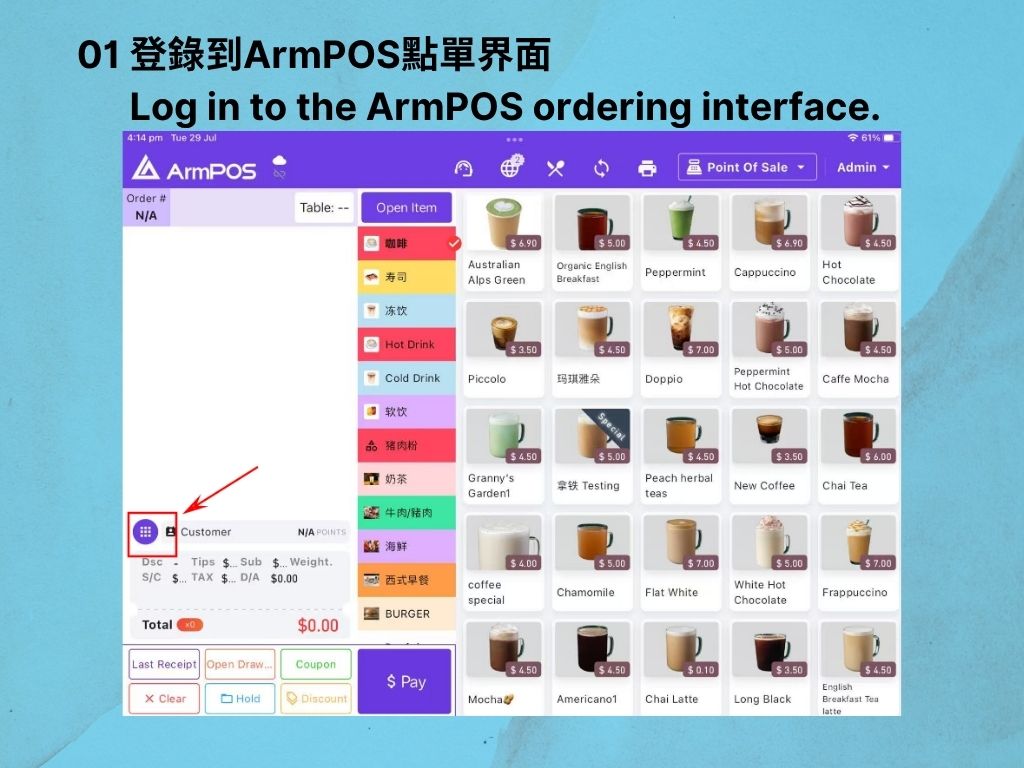
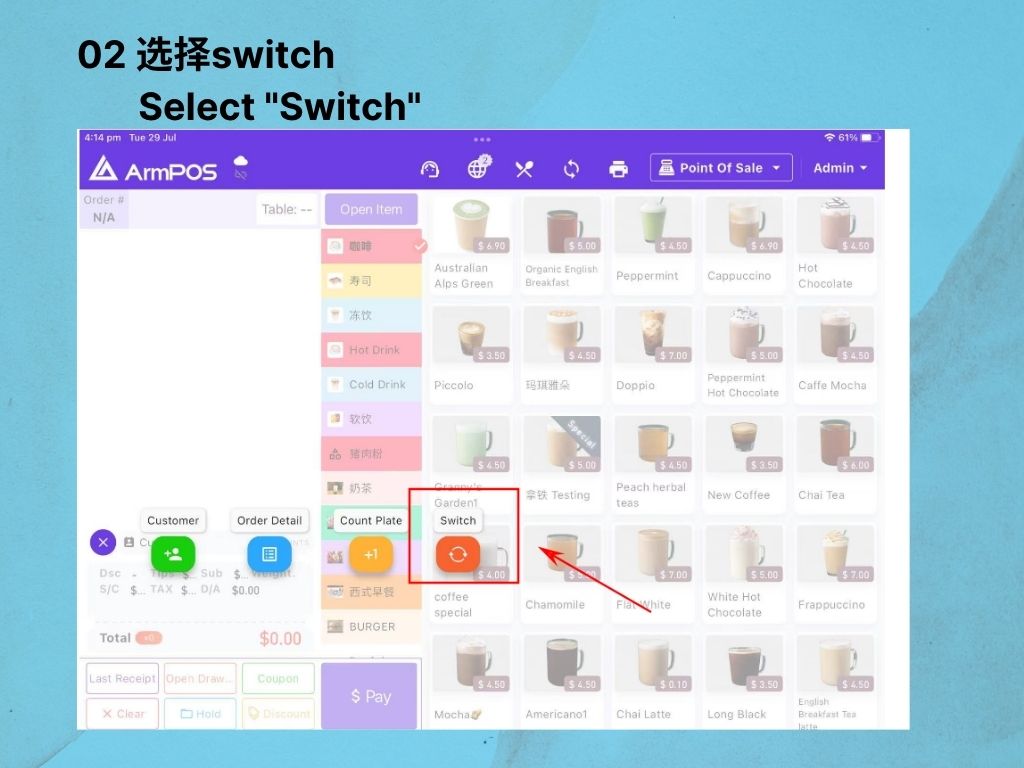
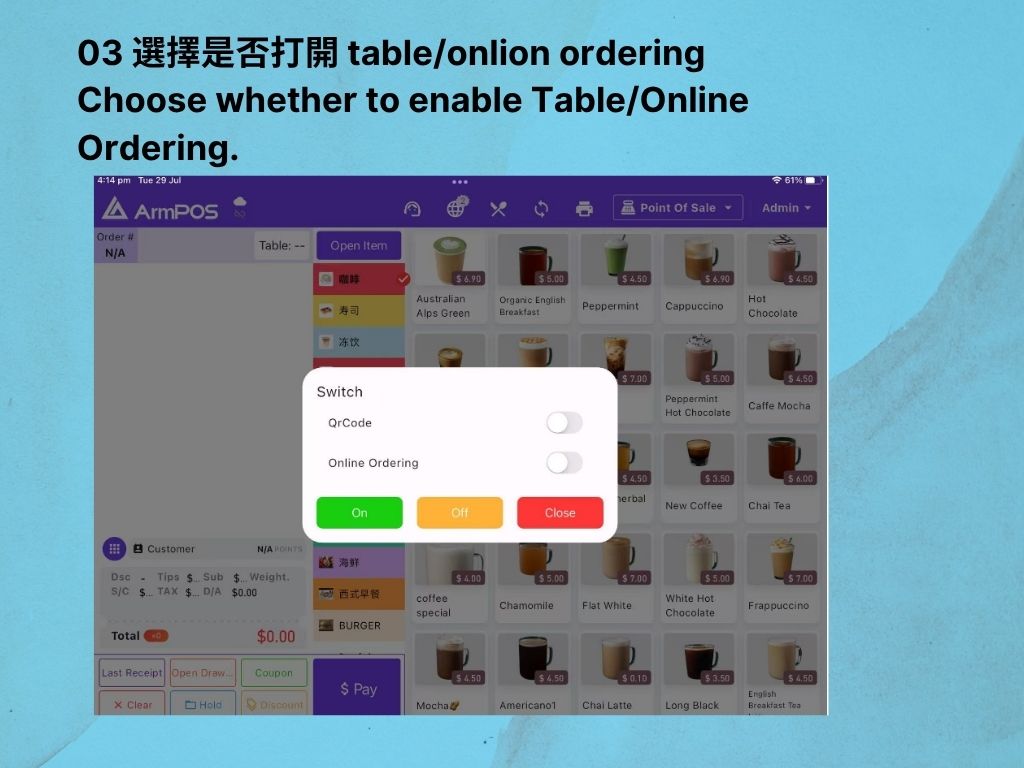
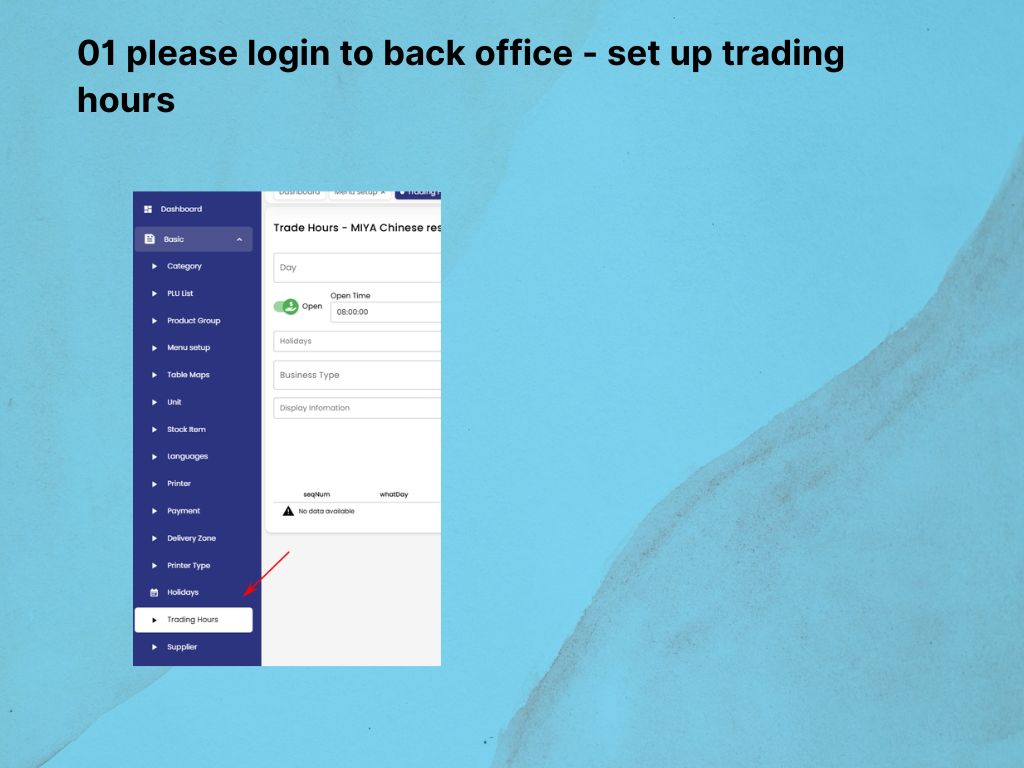
- How to turn on/off the online ordering menu or adjust the online ordering hours2.
- How to turn on/off the online ordering menu or adjust the online ordering hours
3. Armloop Training
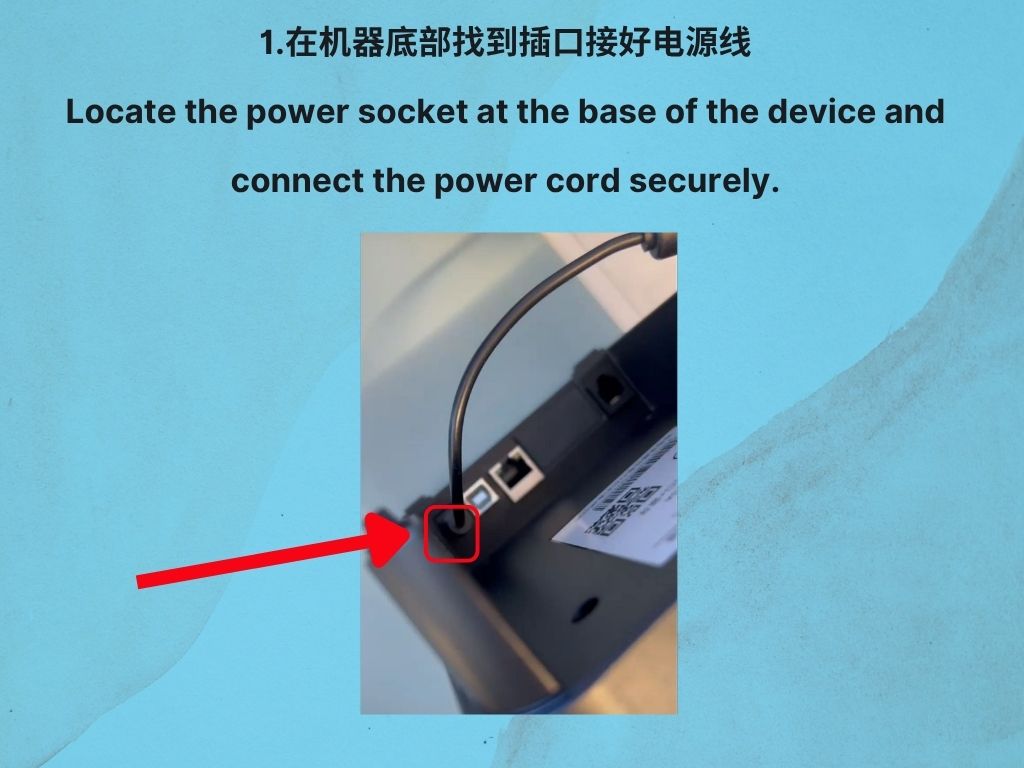
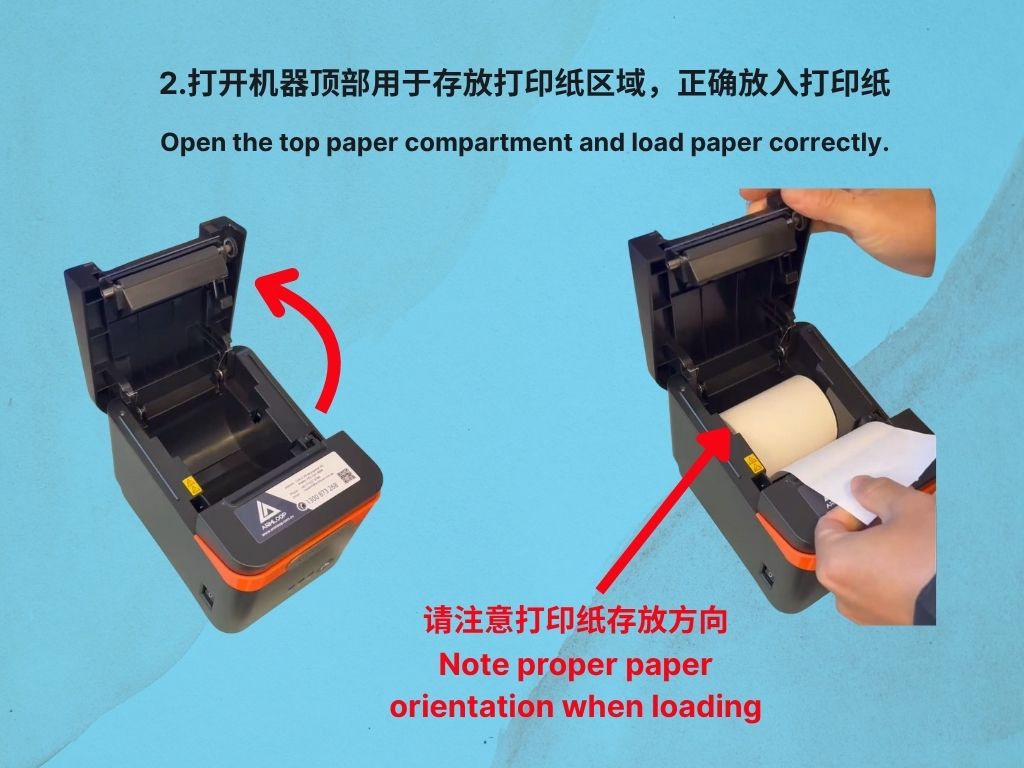
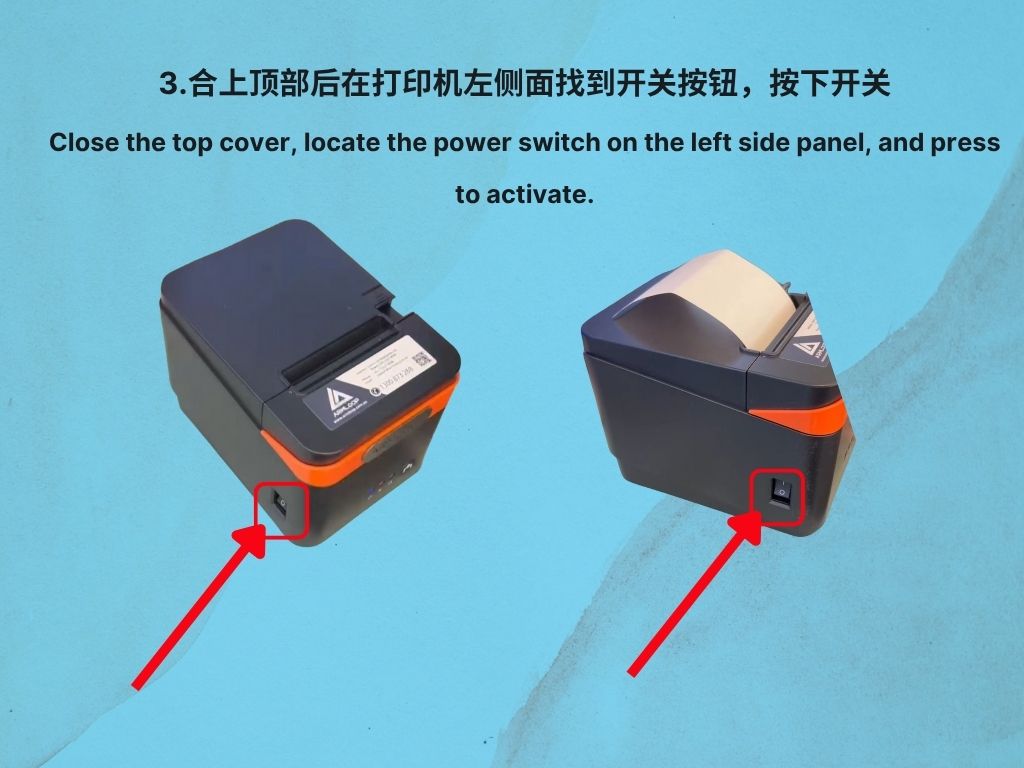
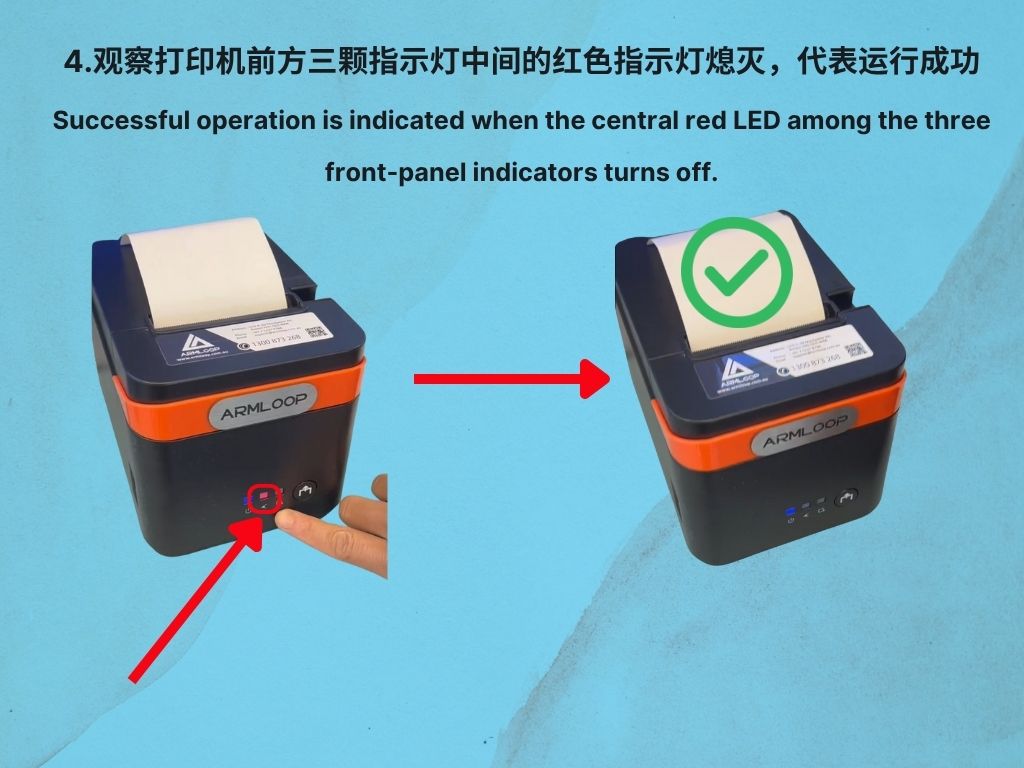
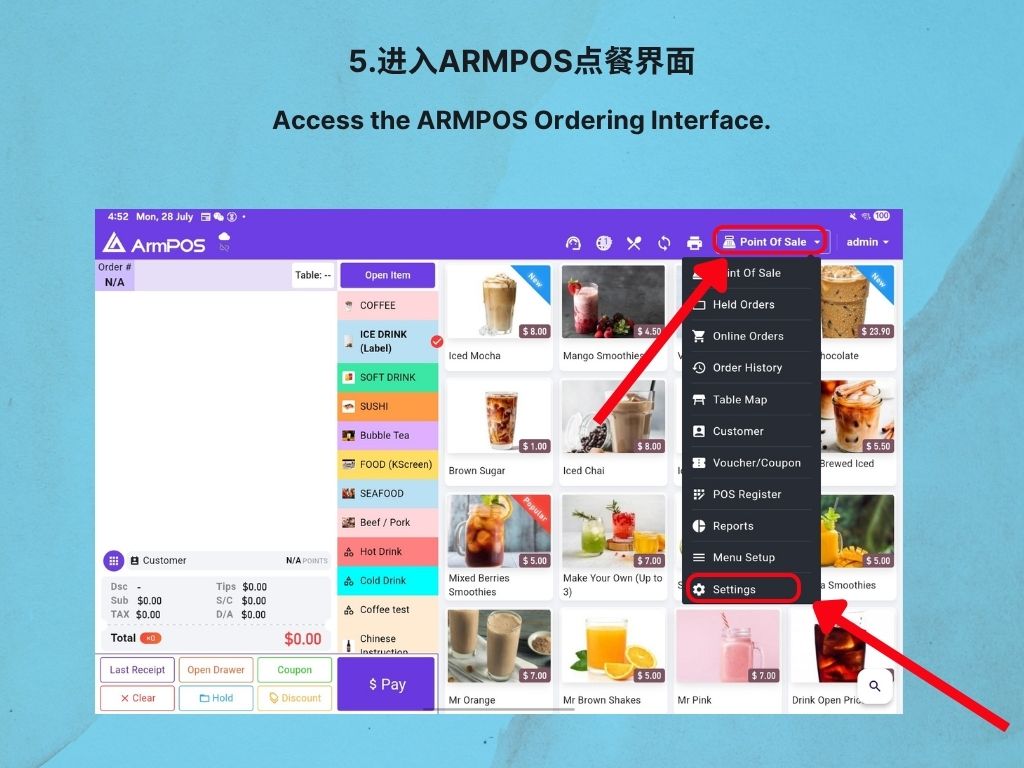
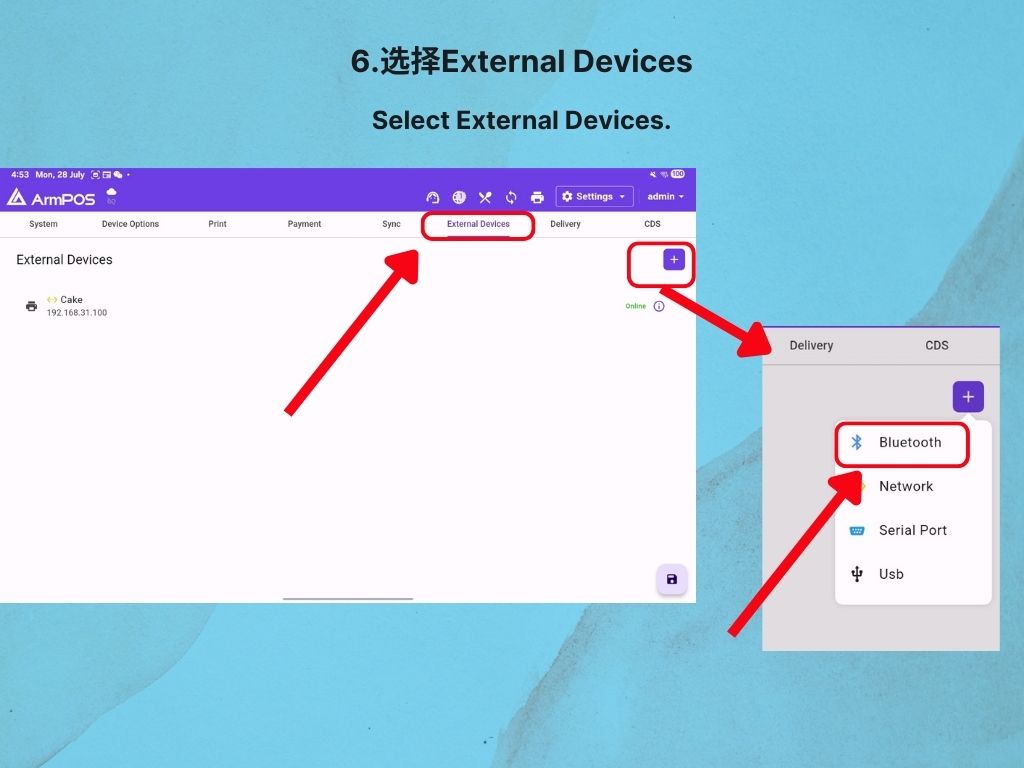
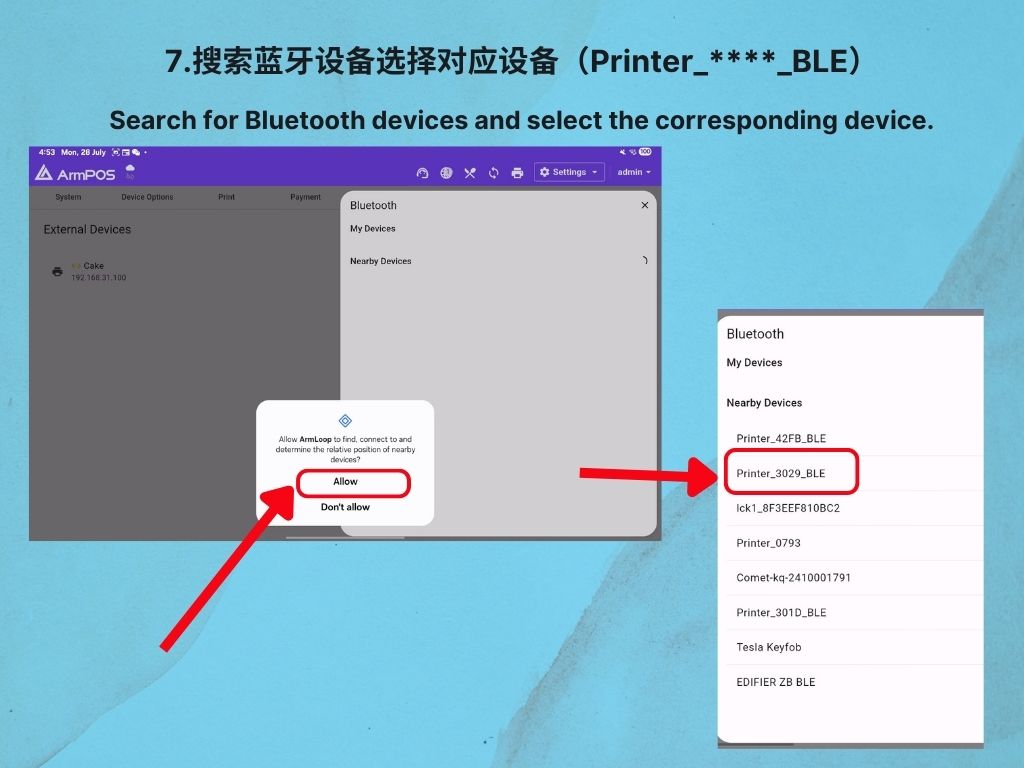
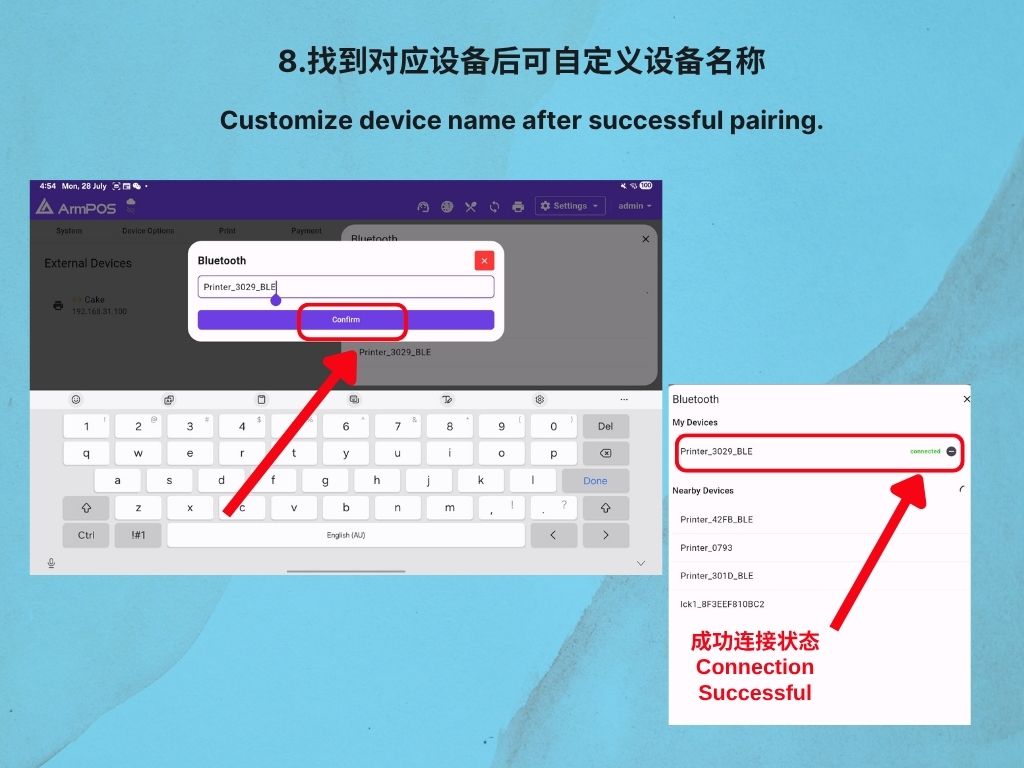
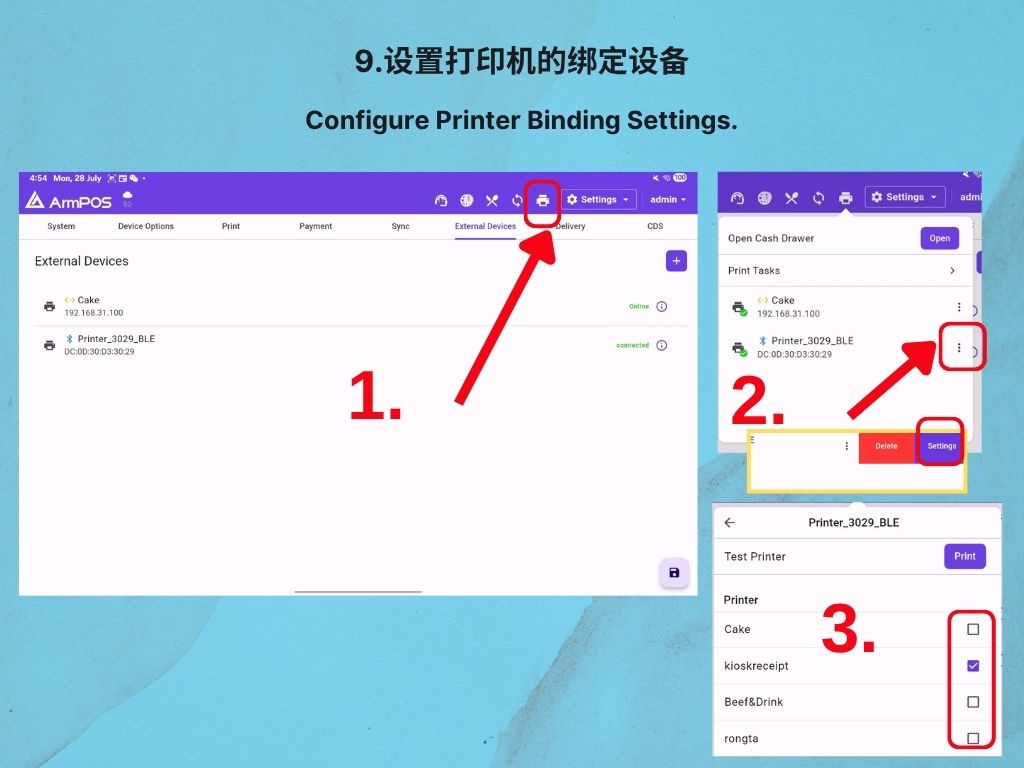
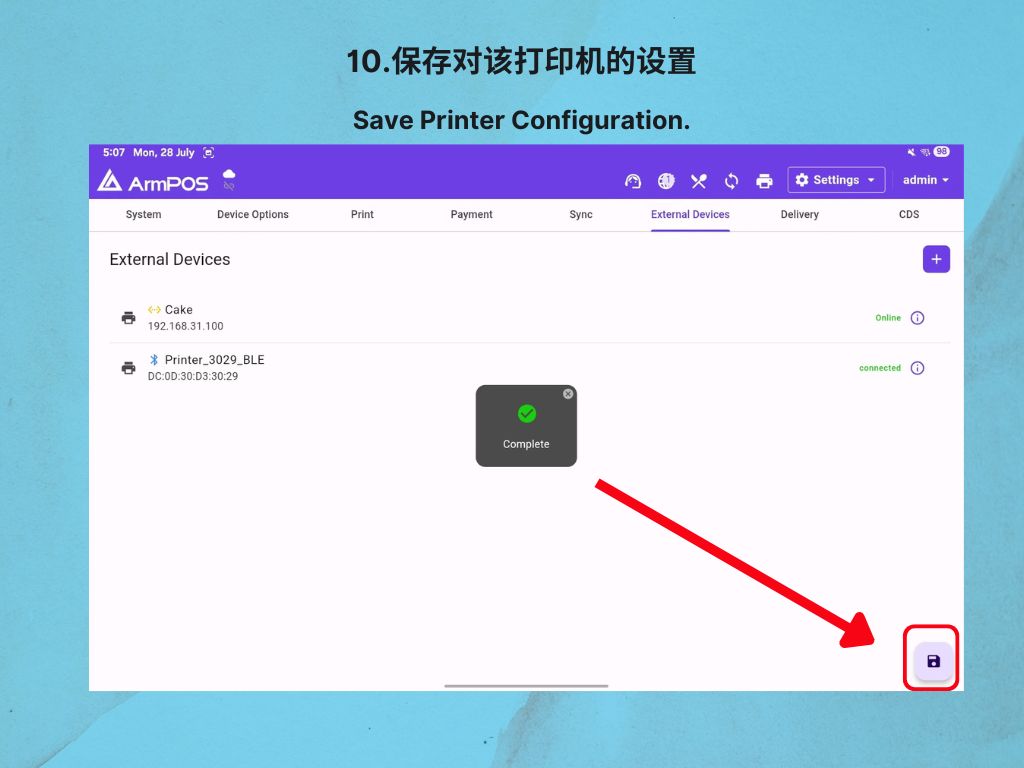
- How to connect a Bluetooth printer to POS system
4. Armloop Training
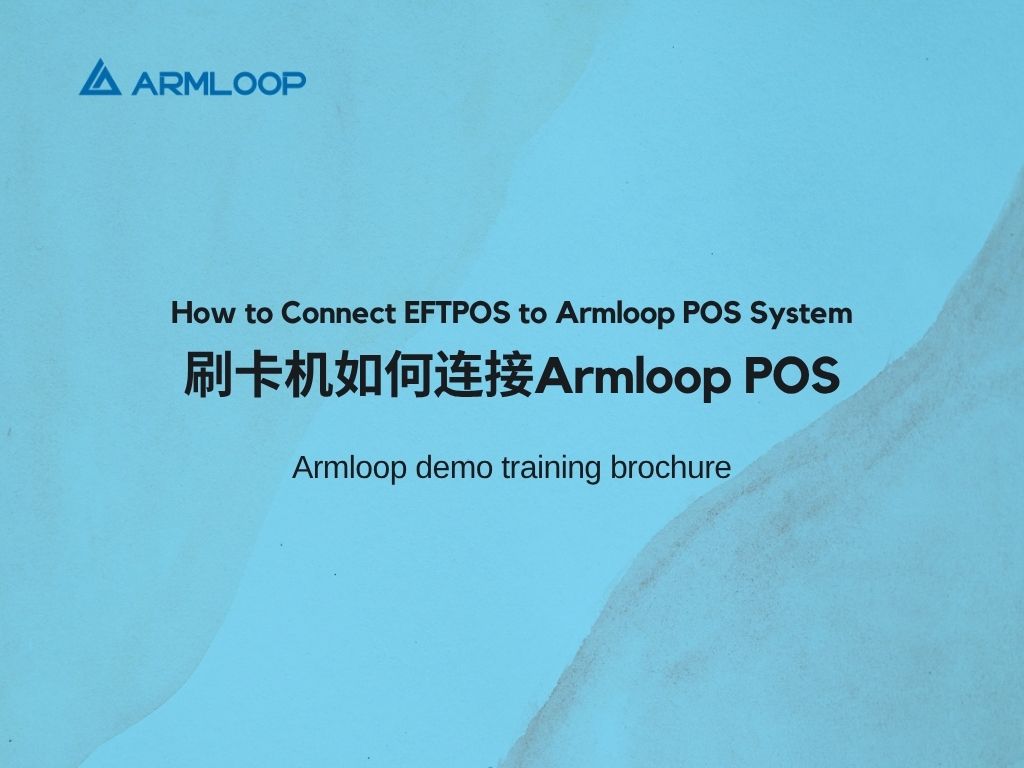
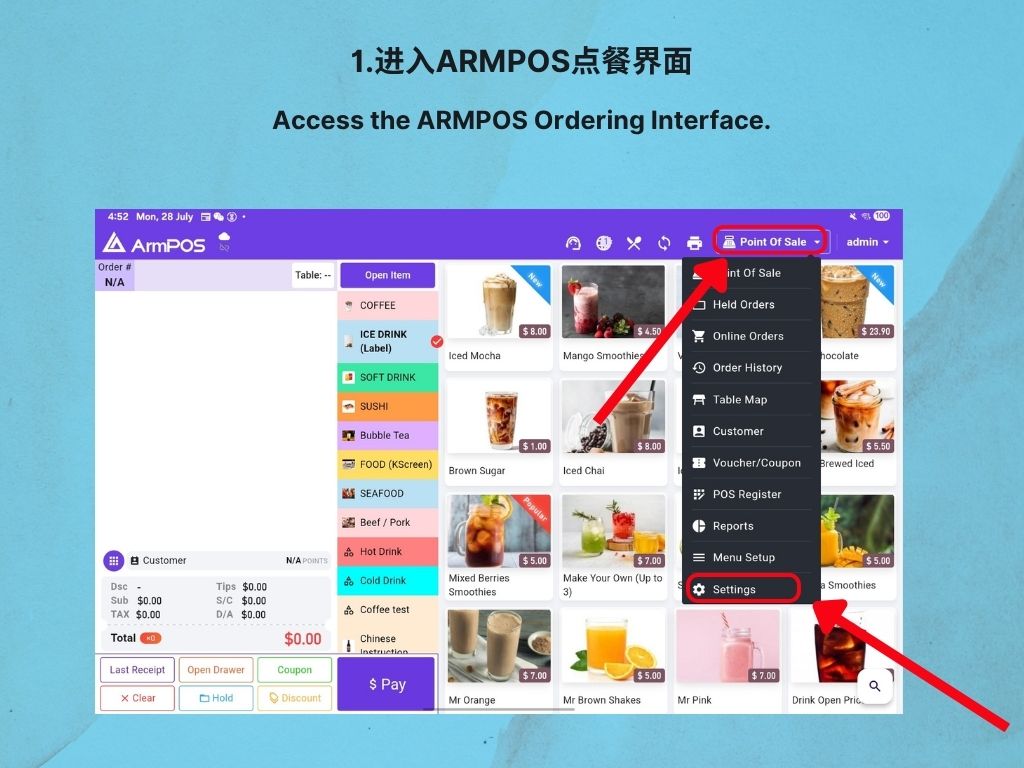
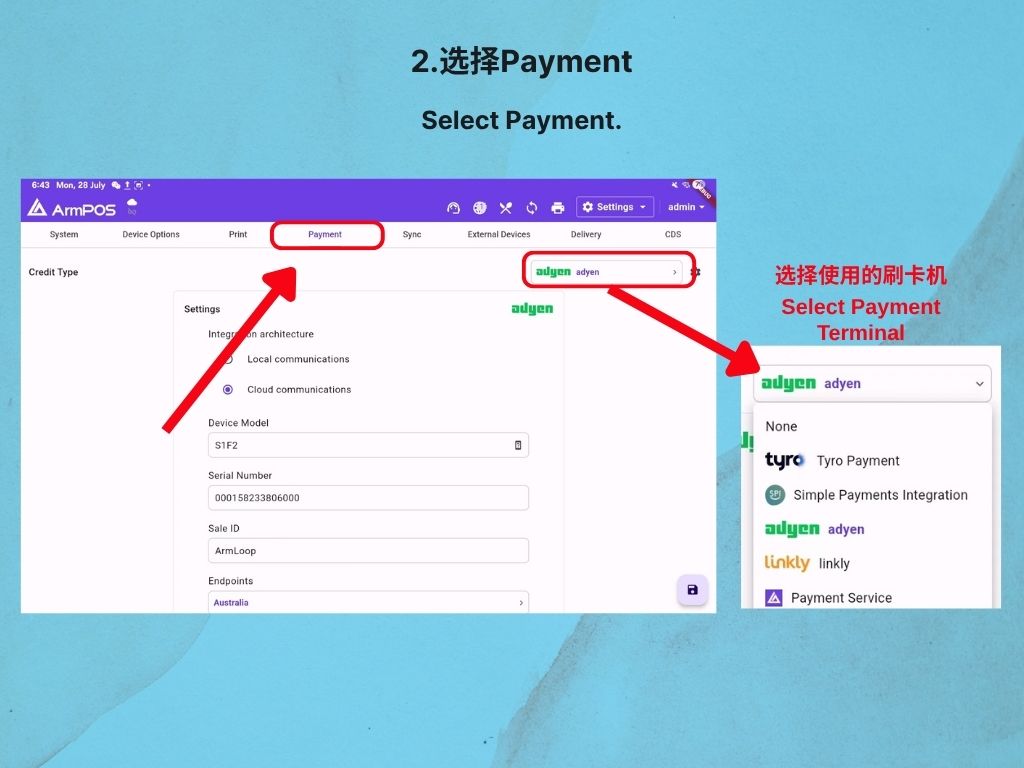
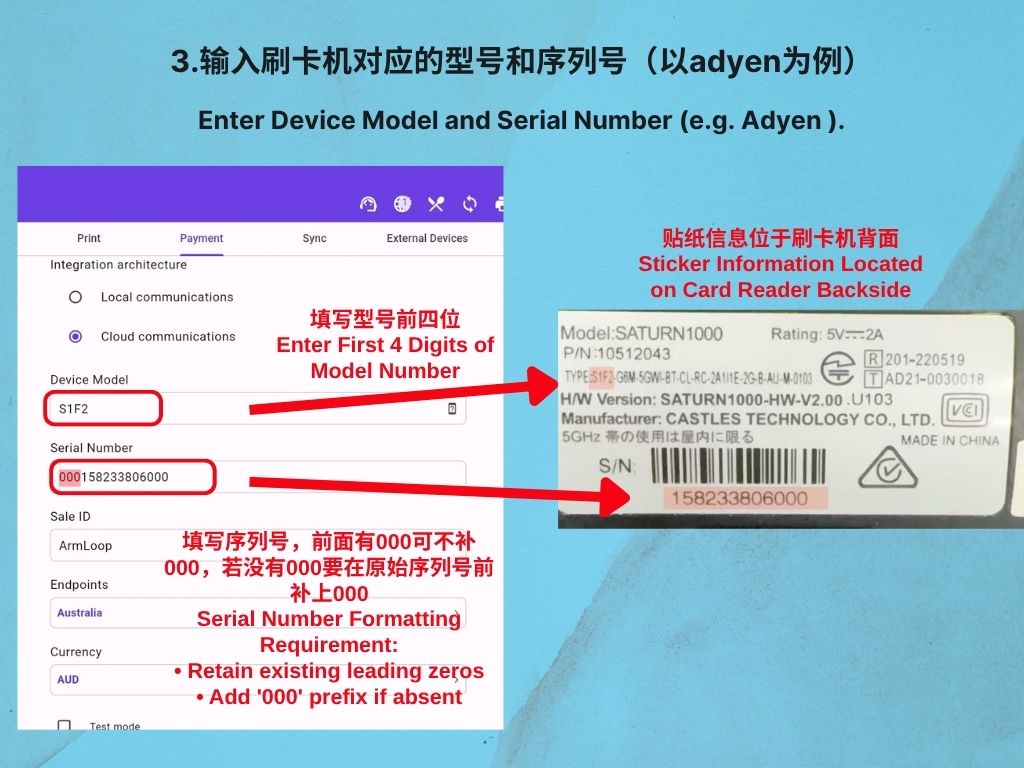
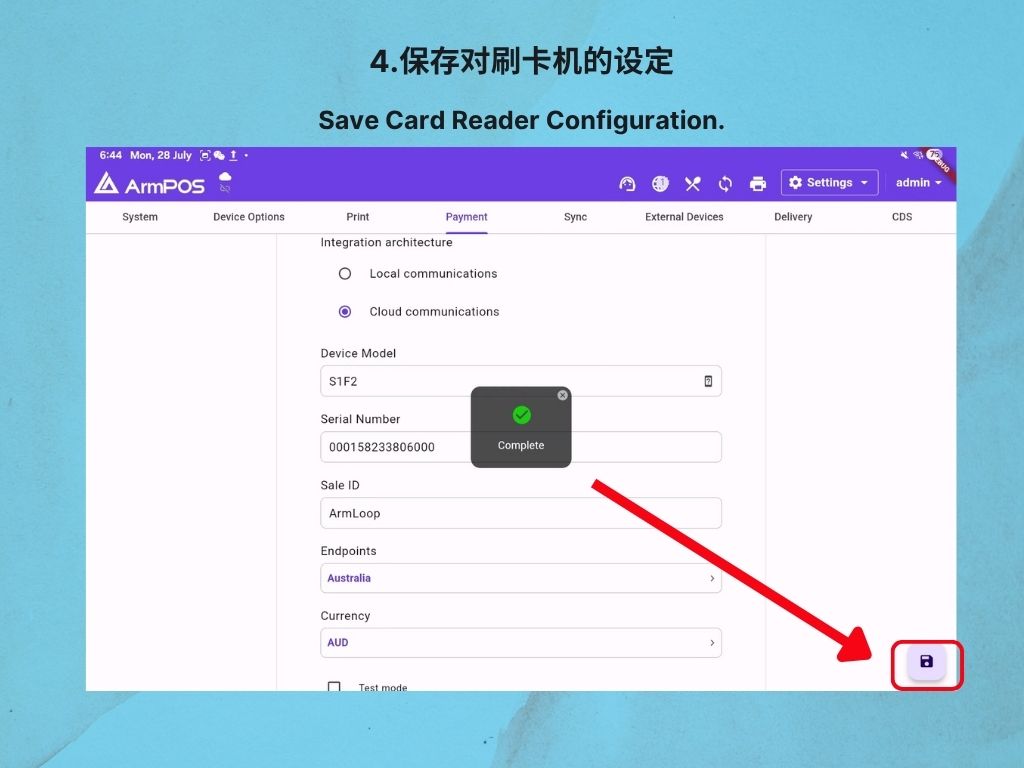
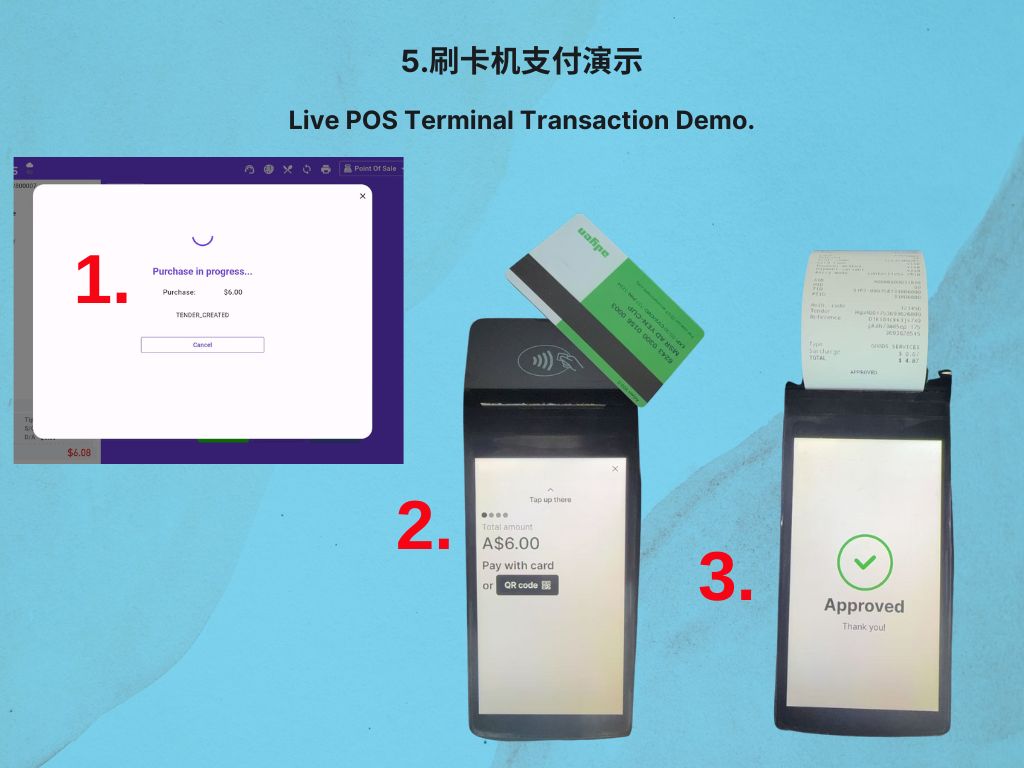
- How to Connect a Card Reader to Armloop POS System
5. Logging into Armloop POS
6.Opening and closing the POS Register Armpos
7.Accessing commonly used features on Armloop POS
8.Restaurant Mode, merging tables and transferring items and orders
9.Starting orders with different order types
10.Customising an order and creating an open item
11.Marking a product as sold out, new or popular
12.Setting the default order type and adding a customer name to an order
13.Applying discounts to items and orders
14.Adding notes to items and orders
15.Processing cash, credit card and split payment orders
16.Refunding and deleting orders
17.Modify the price, name or picture of an individual dish.
18.How to print POS register report
19.How to create a menu
20.How to create an email and use templates
21.EFTPOS MOTO Payment
22.How to use the Order Queue Display system
23.How to set up a double points in loyalty system
24.How to use the Attendance System
25.How to enable multiple redemptions for the same coupon
26.How to integrate Uber Eats with Armloop POS
Contact
Unit 4, 69 Montpelier Rd, Bowen Hills QLD 4006
07-5227-8788
(255) 352-6258